Welcome to 'itsyour-site.blogspot.in'

Showing posts with label Anti-virus. Show all posts

Tuesday, 10 April 2012

How to update offline Panda Internet Security 2010?


How to update offline Panda Internet Security 2010?

           As we know that antivirus software need to update from time to time. You now installed Panda Internet Security 2010. And it was outdate. But you can not connect to the Internet. So how to update offline Panda Internet Security 2010?

         Panda Internet Security 2010 is a security suite that lets you use the Internet with complete peace of mind. It protects you from viruses, spyware, rootkits, hackers, online fraud, identity theft and all other Internet threats. The anti-spam engine will keep your inbox free from junk mail while the Parental Control feature ensures your children can use the Web safely. And thanks to the new Collective Intelligence technology, the solution is now much faster than previous versions.

Step by Step guide on upgrading Panda Internet Security 2010 offline.

 
Step 1: Make sure you have to hand the activation code you got on buying the product. And you have installed the program.
Step 2: Go to main window of Panda Interne Security. Click Settings in theUpdates panel.
Update pannel 
Step 3: From the pannel of Update location select CD ROM / DVD or Local network.
Update offline 
Step 4: Click the folder button and find the drive or path from which you want to update.
Step 5: Once the updates are complete, click" OK".
OK, your Panda Internet Security 2010 has been upgraded until now. By this guide on how to update offline Panda Internet Security 2010, you can get the idea tha t upgrade Panda Internet Security 2010 by CD ROM / DVD . So next time, the program is outdate you also can upgrade it.

How to use norton ghost-2003

How to use norton ghost-2003

Here are the step by step information on the usage of this super tool:
1. Keep the ghost executable file on your dos bootable cd or any fat 32 partition – MS DOS do not support NTFS file system. Turn your system on with DOS – the one which could be found while installing Windows 98/Me. You may use bootable disks for dos.
2. Navigate into the directory where you have placed the ghost.exe file and type ghost and hit enter.
3. You will get a welcome screen, just hit enter. After a welcome screen, you will get a screen like this where you have to select the type of task to be done. The main tasks available are:

  • Disk to disk copy
  • Disk to image copy
  • Image to disk copy
  • Partition to partition copy
  • Partition to image
  • Image to partition

ghost-1.gif

4. Select the hard disk which is the source of your data. In this image, you can notice only one hard disk which has been installed on my system. If you have multiple harddisks, you need to select carefully. Based on the operation you have selected in the step 3, further screens may differ.

ghost-2.gif

5. The following are the images for backing up a partition. Select the partition you need to backup, I have chosen C drive for this purpose.

ghost-3.gif

6. Select the destination to store the image file. The destination should be a non source partition. Provide a file name, a description if needed and save.

ghost-4.gif

7. You will be prompted to use compression, you may choose as it saves your disk space and also its safe. You will be presented with a progress screen like this and all the job is over after this. The total process hardly takes some 5 minutes for a partition with 3GB of data on a 80 GB hard disk with 256MB of RAM. The performance may vary for different systems.

ghost-5.gif

8. Use similar steps to restore a partition from an image. Very simple steps are involved in the whole process and it is recommended that you backup your OS drive as it has the maximum chances of corruption.
Note: Throughout the process, you will not be having mouse support. Use Tab, Enter, Arrow keys for operations and keyboard works normally.
You may download the ghost software here.


DOWNLOAD

http://www.oldversion.com/Norton_Ghost.html

How to download Panda Antivirus Pro free


          How to download Panda Antivirus Pro free


        Panda Antivirus Pro 2010 is the easiest-to-use and most intuitive protection for your computer. Just install it and forget about viruses, spyware, rootkits, hackers, online fraud and identity theft. Chat, share photos and videos, bank and buy online, read your favorite blogs or simply surf the Web, with complete peace of mind. And thanks to the new Collective Intelligence technology, the solution is now much faster than previous versions.

Guide on how to download Panda Antivirus Pro 2010 free.


        Panda Antivirus Pro 2010 automatically detects and eliminates viruses, spyware, Trojans, rootkits, bots and other malware before which infect your computer. Panda USB Vaccine protects your USB drives from infection. It new technologies are widely recognized as the most effective against new and unknown malware. Besides, Personal Firewall protects you against Internet-borne worms and hacker. attacks. In additional, with Anti-Banking Trojan Engine, it detects the most dangerous identity theft malware used by cyber-criminals to steal banking credentials. Specialized heuristics and generic detection techniques ensure maximum protection for online transactions.
Click here to download Panda Antivirus Pro 2010:
 

http://www.downloadatoz.com/utility_directory/panda-internet-security-2010/

Operating System:
- Windows XP 32-bit
- Windows Vista 32 and 64-bit
Processor: Pentium 300 MHz or faster
RAM:
- 128 MB without TruPrevent
- 512 MB with TruPrevent (1 GB recommended)
Hard Disk: 275 MB free space
MS Internet Explorer 6.0
CD-ROM drive 


              Ok, you get the knowlegde of Panda Antivirus Pro 2010, and downloaded it. You just click it to install, then you get the permit to use it. Follow this guide you get to know how to download Panda Antivirus Pro 2010, you can do the same steps as this guide instructs, to download other software what you need.

How-to-activate-panda-antivirus-pro


How-to-activate-panda-antivirus-pro


Panda Internet Security 2010 can protect your PC from many of millious viruses. It is essential to activate Panda Antivirus Pro 2010 in order to benefit from the following services, such as Daily automatic updates, use technical support and SOS Virus. But how to activate Panda Antivirus Pro 2010?

Panda Antivirus Pro 2010 is the most intuitive protection for your computer. Just install it and forget about viruses, spyware, rootkits, hackers, online fraud and identity theft. Chat, share photos and videos, bank and buy online, read your favorite blogs or simply surf the Web, with complete peace of mind. And thanks to the new Collective Intelligence technology, the solution is now much faster than previous versions.

Guide on how to activate Panda Antivirus Pro

 
Step 1: Make sure you have to hand the activation code you got on buying the product.
Step 2: Double-click the Panda Antivirus Pro 2010 icon in the Windows taskbar (next to the system clock).
Step 3: In the top right corner of the Panda Antivirus Pro 2010 window, click "Help", choose Activate the product.
Activate Panda Antivirus Pro 2010 
Step 4: You will then see a simple wizard which will allow you to activate Panda Antivirus Pro 2010. Simply click "Next" and enter the details as requested.
Activate wizard 
Step 5: Wait for a moment, then click "Finish".
Now, you have done all of the things to activate Panda Antivirus Pro 2010. The Panda Antivirus Pro 2010 has been activated. Following this guide on how to activate Panda Antivirus Pro 2010, you get the knowledge of steps activating Panda Internet Security 2010.

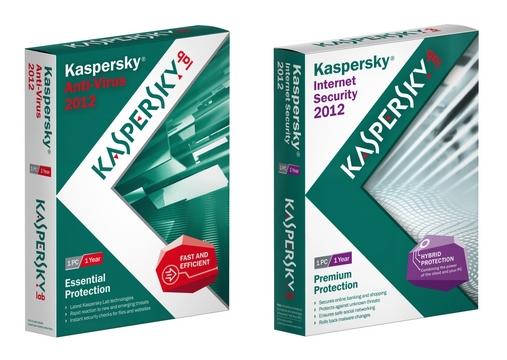
Kaspersky Antivirus 2012 Latest Free Keys


Kaspersky Antivirus 2012 Latest Free Keys


This Kaspersky Antivirus 2011/2012 Latest Version keys provided here by 


Kaspersky Antivirus 2012 Keys are valid till 2012 with full version and latest access from Kaspersky.

Download Winrar first to extract Kaspersky Keys 2012 Latest.

1. Open Kaspersky 2011/2012 License Manager (from lower right corner).

2. Click ‘Activate the application with a new license’ button.
(Delete any trial key first, by clicking the red X next to the key).

3. Select ‘Activate commercial version’ and enter the activation license code as


11111-11111-11111-1111X


4. Wait activation wizard message then Click OK

5. Wait for wrong activation code message then Click OK

6. Screen will appear with KEY FILE BROWSE

7. Browse to the key location and activate kaspersky. 

Other instructions are in the readme file.


Thanks

Download Here

by 
                   -ACBNaidu.

AVG Free Antivirus Download Full Version


AVG Free Antivirus Download Full Version


          AVG Antivirus Free Edition Full Download Final Version is an antivirus to scan and protect your mobile, computer and business from virus attacks, hackers attacks and maleware attacks.


AVG Antivirus Free Edition Full Download Final Version has provided many versions:
AVG 8.0 Free Download Full Version
AVG 8.5 Free Download Full Version
AVG 9.0 Free Download Full Version
AVG 9.5 Free Download Full Version
AVG Updates Free Download
AVG 2012 Free
                                                          AVG 2011 Free Download Full Version
                                                          AVG 2010 Free Download Full Version
                                                          AVG 2009 Free Download Full Version


AVG Internet Security and AVG Antivirus Free Download is available for free download:


by 
                   -ACBNaidu.

Avast Free Antivirus Full Download


Avast Free Antivirus Full Download


              Avast Antivirus free download full and final version is a more effected antivirus which is used in most of the world in windows xp, windows 7 and windows vista.

Avast Antivirus free download full and final version provides these versions:

  • Avast Free Antivirus
  • Avast Pro Antivirus
  • Avast Internet Security


Avast Antivirus full version free download is also provides its product for mobile users and business users.

Avast integrates its quick scanning process to scan and separate the infected files from the computer.

Download Here

by 
                   ACBNaidu.

Avira Free Download Antivirus

Avira Free Download Antivirus


Avira Antivirus Free Download Full and Final Version is an antivirus to scan and clean your computer from the viruses, malewares and spywares.


Avira Antivirus Free Download Full and Final Version is provided by Avira Incorporation with free and premium both versions for windows xp, windows 7 and windows vista to protect your pc with any infected files.

This antivirus 2012 latest version with live free download updates and safe your computer from hacking and jacking.


by 
                   -ACBNaidu.


Monday, 9 April 2012

Top 10 free PC programs everyone should have


Top 10 free PC programs everyone should have

There are millions of free and open source projects available, many of them better than any commercially available product. Below is a short listing of what we think is the best out there, broken down into ten categories.
Anti-virus and malware protection
Most PC users realize that they need protection on their computer or may have an installed anti-virus program from their computer manufacturer. What most don't realize is that there are free programs that are just as good and in some cases better than the commercial products. Below are our recommendations
Anti-virus program: Avast! or AVG
Malware and Spyware protection: Malwarebytes
Backup solutions
There are dozens of free and commercially available backup programs for computers. Unfortunately many of those backups are stored locally, meaning if your house were to catch fire, get robbed, or if you lost your backup discs all your data would be lost. This is why when dealing with important data we suggest users use online backup services.
Online backup solution: Mozy or Dropbox
Browsers
Although Microsoft Internet Explorer comes pre-installed on Windows computers. There are several excellent free alternatives that everyone should try. These free alternatives can often be faster, have more options, and in many cases be more secure than Internet Explorer.
Internet Browser: Mozilla Firefox or Google Chrome
Compression utility
When downloading files on the Internet you'll eventually encounter a .zip, .rar, or other compressed file. Dealing with these files can be easy with our below free file compression utility.
File compression utility: 7-Zip
Disc ripper and creation utility
Creating an audio or data CD/DVD, ripping the data from an audio CD, or creating a CD from a .ISO file can also be done freely using our below free recommendation.
CD burner utility: CDBurnerXP
E-mail
E-mail is yet another service that can be done freely. Most users today use online e-mail solutions like the one listed below. However, for those still using an e-mail client such as Microsoft Outlook we strongly suggest one or both of the below suggestions.
E-mail client: Mozilla Thunderbird
Online e-mail: Gmail
FTP, SFTP, and SSH Utility
Users who maintain their own web page or need to upload or download files to or from a server will have to use an FTP utility or a SSH client. There are many commercial programs capable of doing this but our below free recommendations beats them all.
FTP client: Filezilla
SSH client: Putty
Image editor, paint program, and picture organizer
There are many great free solutions for editing, creating, and organizing your images on your computer. Many of the programs capable of doing these tasks can be several hundred dollars, but all of the below programs are completely free.
Image editor: GIMP
Paint program: Paint.net
Picture organizer: Google Picasa
Multimedia
There are dozens of different multimedia programs with different capabilities and limitations. Below are our top free multimedia programs for watching video files and recording audio.
Audio editing and creating tool: Audacity
Video and DVD Player: VLC
Office Suite
An Office suite such as Microsoft Office is often one of the most expensive programs that a user can install on their computer. Why install these expensive programs when there are free solutions that are just as good.
Office suite: OpenOffice
Notepad and Source code editor: Notepad++